ZOHO CRM: The Complete Business Tools Guide for Indian MSMEs & Startups
Author Expertise: Written by business technology consultants with 8+ years of experience helping Indian MSMEs implement digital solutions.
Introduction: Why ZOHO CRM Became India’s Choice
The Indian business landscape has transformed dramatically over the past decade. What started as a market dominated by international enterprise software has now become a battleground where homegrown solutions are winning.
ZOHO CRM stands at the center of this transformation, challenging billion-dollar American companies and winning customers across India.
Understanding ZOHO CRM isn’t just about learning another software tool. It’s about recognizing how Indian businesses are choosing solutions that align with their budget constraints, operational needs, and growth aspirations. This guide explores every aspect of ZOHO CRM, from basic functionality to advanced features, and examines why it has become the preferred choice for over 50,000 Indian businesses.
What You’ll Learn in This Guide
This comprehensive guide covers ZOHO CRM from multiple perspectives:
- How the system works and what features it offers
- Why Indian businesses prefer it over international alternatives like Salesforce and Microsoft Dynamics
- ZOHO’s relationship with the Indian government and Atmanirbhar Bharat initiative
- How ZOHO Cliq is challenging WhatsApp Business for team communication
- Marketing automation capabilities and integration ecosystem
- The free CRM option and when to upgrade to paid plans
- How ZOHO competes with Microsoft and Meta in specific market segments
Whether you’re a startup founder, MSME owner, or business consultant, this guide provides actionable insights for making informed decisions about CRM adoption.
Understanding ZOHO CRM: What It Actually Does
ZOHO CRM is a cloud-based customer relationship management platform designed to help businesses manage their entire customer lifecycle. From the moment a potential customer shows interest in your product to post-sales support and repeat purchases, ZOHO CRM tracks every interaction and helps teams work more efficiently.
The Core Problem ZOHO CRM Solves
Before CRM systems, businesses used spreadsheets, notebooks, and memory to track customer interactions. Sales teams would maintain personal contact lists, marketing teams had their own databases, and support teams worked with separate ticketing systems.
This fragmented approach led to several problems:
- Missed opportunities when leads fell through the cracks
- Duplicate efforts with multiple people contacting the same customer
- Poor customer experiences because teams didn’t know the full history
- Limited insights making it impossible to analyze what’s working
- Dependency on individuals rather than systematic processes
ZOHO CRM solves this problem by creating a single source of truth for all customer-related information. When a lead fills out a form on your website, that information automatically enters ZOHO CRM. When a sales representative makes a phone call, they can log it in the system. When a customer sends an email, it gets tracked against their record.
This centralization ensures that everyone in your organization has access to the same information, leading to better coordination and improved customer experiences.
How ZOHO Corporation Built a Global Product from Chennai
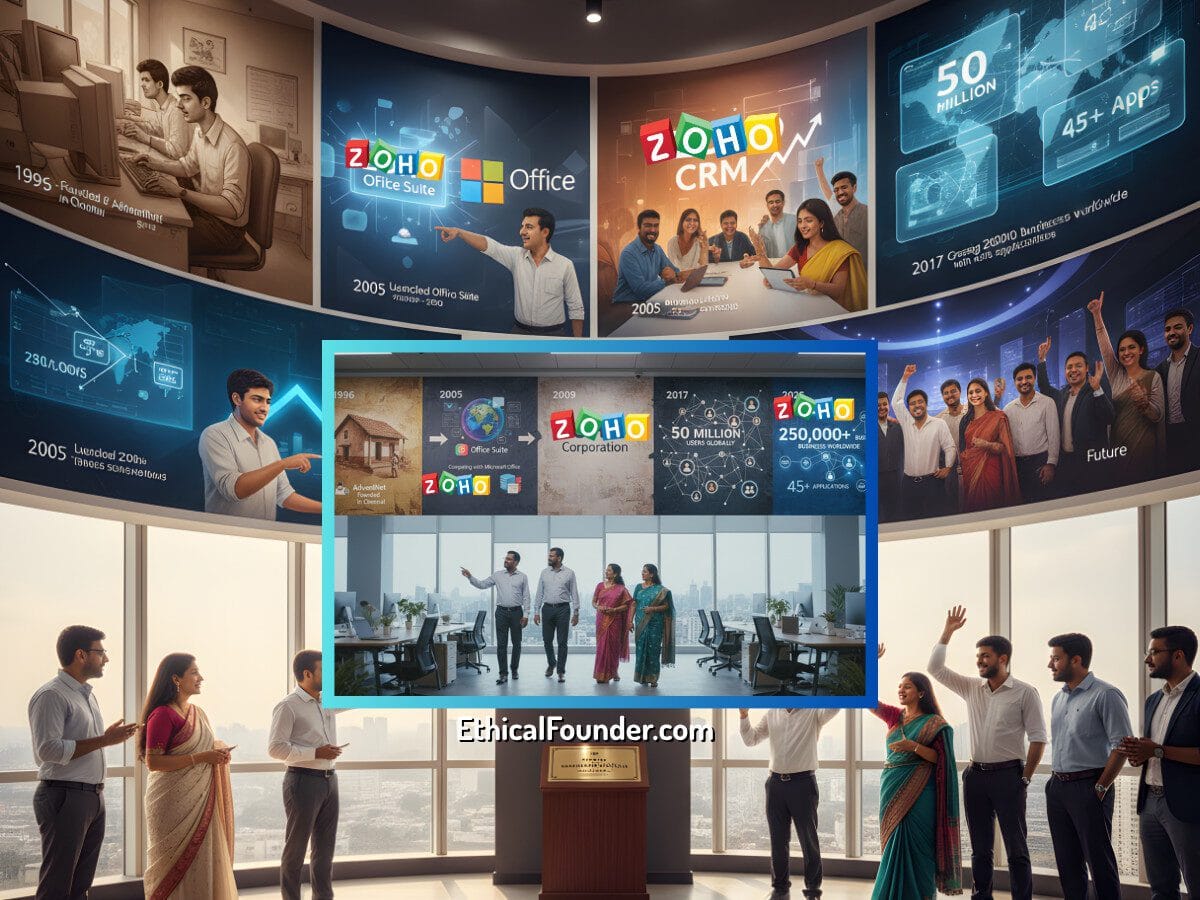
ZOHO Corporation’s journey began in 1996 when Sridhar Vembu and Tony Thomas founded AdventNet in Chennai. The company initially focused on network management software for enterprises. Over time, they recognized that businesses needed affordable, integrated software solutions that didn’t require massive IT departments to implement and maintain.
The ZOHO Timeline:
- 1996 – Founded as AdventNet in Chennai
- 2005 – Launched ZOHO Office Suite (competing with Microsoft Office)
- 2005 – Introduced ZOHO CRM
- 2009 – Rebranded to ZOHO Corporation
- 2017 – Crossed 50 million users globally
- 2025 – Serving 250,000+ businesses worldwide with 45+ applications
What makes ZOHO Corporation unique is its bootstrap approach. Unlike most technology companies that raise venture capital and focus on rapid growth at the expense of profitability, ZOHO has never taken external funding.
This independence allows them to make decisions focused on customer value rather than investor returns. It also means they can offer competitive pricing without pressure to maximize short-term revenue.
The company employs over 12,000 people globally, with significant operations in India. Their Chennai headquarters serves as the primary development center, where most of ZOHO’s 45+ applications are built and maintained. This Indian foundation gives ZOHO a unique perspective on emerging markets and the specific needs of businesses operating in price-sensitive environments.
How ZOHO CRM Works: Technical Architecture and Core Features
ZOHO CRM operates on a multi-tenant cloud architecture, meaning all customers share the same infrastructure while their data remains completely isolated and secure. This approach allows ZOHO to offer the platform at significantly lower costs than traditional on-premise CRM systems while maintaining enterprise-grade security and reliability.
When you sign up for ZOHO CRM, you get access to a web-based interface accessible from any browser. The system also offers mobile applications for iOS and Android, allowing sales teams to access customer information, update records, and log activities while working in the field.
This mobility is crucial for Indian businesses where sales representatives often spend significant time traveling to meet customers.
Lead Management: Where Every Sale Begins
The journey in ZOHO CRM typically begins with lead management. Leads are potential customers who have shown some interest in your business but haven’t yet made a purchase decision.
Where leads come from:
- Website contact forms
- Email campaigns
- Social media interactions
- Trade shows and exhibitions
- Referrals from existing customers
- Manual data entry by sales teams
ZOHO CRM captures leads from multiple channels automatically. If someone fills out a contact form on your website, they can be automatically added to ZOHO CRM as a lead. If you run Facebook or Google ads, those leads can flow directly into the system. This automation eliminates manual data entry and ensures no potential customer falls through the cracks.
Once leads enter the system, sales teams can qualify them based on specific criteria. Not every lead is worth pursuing immediately. Some might be from companies too small to afford your product, others might be from industries you don’t serve, and some might just be gathering information without immediate buying intent.
ZOHO CRM allows you to score leads based on factors like:
- Company size and revenue
- Budget availability
- Timeline for purchase
- Decision-making authority
- Engagement level with your content
- Industry and use case fit
Qualified leads move through a sales pipeline, which is a visual representation of your sales process. A typical pipeline might include stages like Initial Contact, Needs Analysis, Proposal Sent, Negotiation, and Closed Won or Closed Lost.
Each stage represents a step in your sales process, and ZOHO CRM tracks how long deals stay in each stage, helping you identify bottlenecks and optimize your sales cycle.
Contact and Account Management: Building Relationship Profiles
As leads progress and become customers, ZOHO CRM maintains detailed contact and account records. A contact represents an individual person, while an account represents the company or organization they work for. This distinction is important for B2B businesses where multiple people from the same organization might interact with your sales and support teams.
Contact records in ZOHO CRM store standard information like name, email, phone number, and address. But they go much deeper:
- Social media profiles (LinkedIn, Twitter, Facebook)
- Communication preferences and best times to reach
- Meeting summaries and call notes
- Document attachments (proposals, contracts, presentations)
- Purchase history and product interests
- Custom fields specific to your business needs
Over time, these contact records become comprehensive profiles that help your team build stronger relationships. When a sales representative talks to a customer, they can quickly review past interactions, understand pain points, and personalize their approach.
Account records aggregate all interactions with a company. If you’re selling software to a large corporation, you might interact with procurement managers, IT directors, end users, and C-level executives. ZOHO CRM links all these contacts to a single account record, giving you a complete view of your relationship with that organization.
You can see:
- Total revenue generated from that account
- All open deals and opportunities
- Support tickets and issues
- Historical interactions across all contacts
- Contract renewal dates and terms
- Organizational hierarchy and reporting structure
Automation: Working Smarter, Not Harder
One of ZOHO CRM’s most powerful features is automation. Manual, repetitive tasks consume significant time that could be spent on more valuable activities like talking to customers or closing deals.
ZOHO CRM offers three types of automation to address different needs.
Workflows: Set It and Forget It

Workflows are rule-based automations that trigger actions when specific conditions are met. Think of them as “if this, then that” rules that run automatically in the background.
Common workflow examples:
- Send a welcome email when a new lead is added
- Alert the sales manager when a deal value exceeds ₹10 lakhs
- Create a follow-up task 3 days after a proposal is sent
- Update lead source when someone comes from a specific campaign
- Assign leads to different sales reps based on territory or industry
- Send internal notifications when deals get stuck in a stage for too long
Workflows can send emails, create tasks, update fields, call webhooks, or trigger other systems. They run silently in the background, ensuring consistency and saving hours of manual work every week.
Blueprints: Guiding Your Team Through Processes
Blueprints are structured process guides that ensure teams follow consistent procedures. Unlike workflows that happen automatically in the background, blueprints guide users through multi-step processes.
For instance, you might create a blueprint for the sales process that requires sales representatives to complete specific actions before moving a deal to the next stage:
- Initial Contact Stage – Requires logging at least one phone call and one email
- Needs Analysis Stage – Requires completing a needs assessment form
- Proposal Stage – Requires attaching a proposal document and setting a follow-up date
- Negotiation Stage – Requires approval from sales manager for discounts over 15%
This ensures consistency across your team and prevents important steps from being skipped. New team members can follow the blueprint without extensive training, and managers can ensure quality standards are maintained.
Macros: One-Click Efficiency
Macros are one-click actions that perform multiple tasks simultaneously. If you find yourself repeatedly performing the same sequence of actions, you can record those steps as a macro and execute them with a single click.
For example, a support team might have a macro that:
- Assigns a ticket to the technical support queue
- Sets the priority to high
- Sends a notification to the technical team
- Updates the status to “In Progress”
- Adds a tag for tracking
Instead of clicking through five different actions, the support representative clicks one button and everything happens instantly.
Analytics and Reporting: Data-Driven Decisions
Data without insights is just noise. ZOHO CRM includes comprehensive analytics and reporting tools that help businesses understand their sales performance, identify trends, and make data-driven decisions.

Pre-built reports cover common metrics:
- Sales by region or territory
- Revenue by product or service
- Conversion rates at each pipeline stage
- Win/loss analysis
- Sales rep performance comparison
- Lead source effectiveness
- Average deal size and sales cycle length
Custom reports allow you to analyze data specific to your business needs. You can create reports that show which marketing campaigns generate the highest quality leads, which sales representatives have the best close rates, or which products are most popular in specific regions.
Reports can be scheduled to run automatically and delivered via email, ensuring key stakeholders stay informed without manually pulling data.
Dashboards provide visual summaries of important metrics. Unlike detailed reports that show granular data, dashboards offer high-level views using charts, graphs, and widgets.
A sales manager might have a dashboard showing:
- Today’s activities completed
- This month’s revenue vs target
- Total pipeline value
- Upcoming renewals
- Team performance leaderboard
- Deals requiring attention
Dashboards are customizable, allowing different roles to focus on metrics relevant to their responsibilities.
Why Indian Businesses Choose ZOHO CRM Over International Alternatives
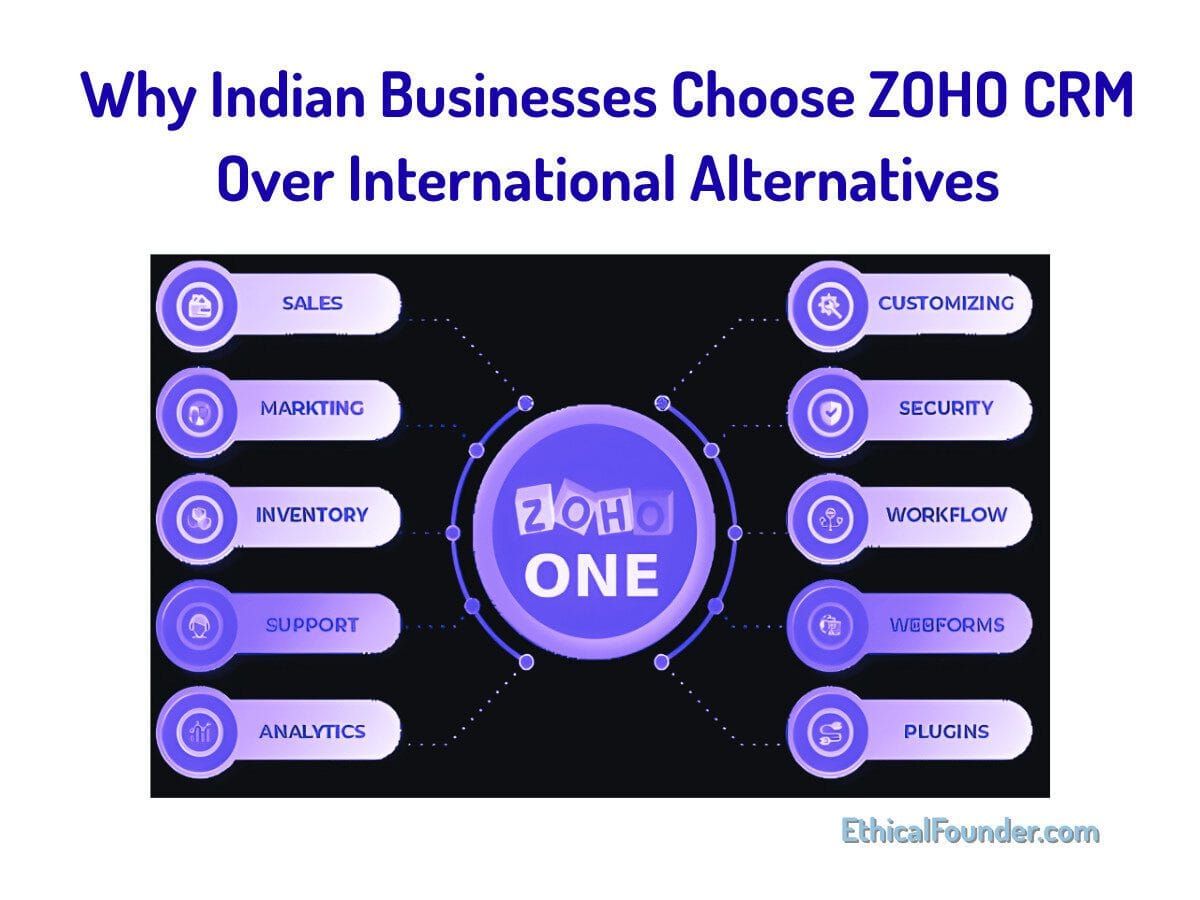
The global CRM market is dominated by several major players including Salesforce, Microsoft Dynamics, HubSpot, and SAP. These companies have massive marketing budgets, established brands, and sophisticated products.
Yet in India, ZOHO CRM has captured significant market share and continues to grow faster than international competitors. Understanding why requires examining multiple factors beyond just product features.
Pricing: The Most Obvious Advantage
Let’s address the elephant in the room first. ZOHO CRM is significantly cheaper than Salesforce, Microsoft Dynamics, and other enterprise CRM systems. The pricing difference isn’t marginal—it’s often 50-70% lower for comparable features.
Annual cost comparison for a 10-person team:
- Salesforce Sales Cloud Professional: $75/user/month = $9,000/year
- Microsoft Dynamics 365 Sales Professional: $65/user/month = $7,800/year
- HubSpot Sales Hub Professional: $90/user/month = $10,800/year
- ZOHO CRM Professional: $23/user/month = $2,760/year
That’s less than one-third the cost of Salesforce. For price-conscious Indian MSMEs and startups, this difference is often the deciding factor. The money saved on software can be invested in hiring, marketing, or product development.
But pricing alone doesn’t explain ZOHO’s success. If the product was cheap but inadequate, businesses would still choose international alternatives despite higher costs. ZOHO wins because it offers 80-90% of the functionality most businesses need at a fraction of the price.
For specialized enterprises requiring advanced features, international CRMs might make sense. But for the majority of Indian businesses, ZOHO provides everything necessary for effective customer relationship management.
Localization: Built for Indian Business Reality
ZOHO CRM includes features specifically designed for the Indian market that international competitors often overlook. The system supports Indian languages including Hindi, Tamil, Telugu, and others, allowing businesses to operate in their preferred language.
India-specific features:
- Multi-language interface (Hindi, Tamil, Telugu, Bengali, and more)
- Indian rupee as native currency with proper formatting
- GST compliance features for invoicing and taxation
- Indian business hours and holiday calendars
- Integration with Indian payment gateways (Razorpay, Paytm, Instamojo)
- Local phone number formatting and validation
- Indian address formats with pin codes
This localization extends beyond interface translation to include support for Indian business practices and requirements. Currency handling is seamlessly integrated with Indian rupees as a native currency option. Tax compliance features understand GST requirements, making it easier for businesses to generate invoices and maintain records that align with Indian tax regulations.
Time zones, date formats, and number formats all default to Indian standards, eliminating the constant adjustments required when using software designed primarily for Western markets.
Implementation Simplicity: Start Using in Days, Not Months
Enterprise CRM systems like Salesforce and Microsoft Dynamics often require professional consultants for implementation. The setup process can take months and cost lakhs of rupees in consulting fees.
For large enterprises with complex requirements and big budgets, this makes sense. For startups and MSMEs, it’s a dealbreaker.
ZOHO CRM can be implemented in days or weeks, often by business owners themselves without specialized technical knowledge. The interface is intuitive, documentation is comprehensive, and the learning curve is manageable.
Why ZOHO implementation is faster:
- Intuitive interface that doesn’t require extensive training
- Pre-configured templates for common industries
- Step-by-step setup wizard for initial configuration
- Free training resources and video tutorials in multiple languages
- Active community forums with Indian users sharing experiences
- Affordable implementation partners if professional help is needed
ZOHO offers free training resources, video tutorials, and webinars in multiple languages, making it accessible to users without extensive software experience.
This simplicity extends to customization. While Salesforce requires knowledge of Apex (their proprietary programming language) for advanced customization, ZOHO CRM uses more accessible tools. The Deluge scripting language used in ZOHO is easier to learn and closer to everyday programming languages.
Many customizations can be done through point-and-click configuration without any coding at all.
No Vendor Lock-in: Your Data Belongs to You
International CRM providers often make it difficult to export your data and switch to competitors. They might charge export fees, limit data export capabilities, or use proprietary formats that don’t easily transfer to other systems.
This creates vendor lock-in, where businesses feel trapped with a provider even if they’re unsatisfied.
ZOHO takes the opposite approach. You can export your data at any time in standard formats like CSV and XML. The company provides APIs that allow you to programmatically access all your data.
This openness gives businesses confidence that they’re not making an irreversible commitment when choosing ZOHO CRM. If your needs change or you find a better solution, you can migrate without losing your historical data or getting stuck in lengthy contract negotiations.
Customer Support: Help When You Actually Need It
When you need help with Salesforce or Microsoft Dynamics, you’re often dealing with support teams based in the United States or Europe. Time zone differences mean waiting hours or days for responses to urgent issues. Phone support might only be available during times when Indian businesses are closed.
ZOHO offers customer support based in India, operating during Indian business hours:
- Email support: Typically responds within 2-4 hours during business days
- Phone support: Available in multiple Indian languages
- Live chat: Real-time assistance for urgent issues
- Community forums: Active Indian user community sharing solutions
- Knowledge base: Extensive documentation in simple English
- Video tutorials: Step-by-step guides for common tasks
This responsive, localized support reduces downtime and helps businesses resolve issues quickly. Support representatives understand Indian business contexts, terminology, and common use cases, leading to faster problem resolution.
ZOHO vs Salesforce: The Real Competition
Salesforce is the world’s largest CRM provider, with annual revenue exceeding $31 billion. The company pioneered cloud-based CRM and established many practices that other providers now follow.
Comparing ZOHO CRM to Salesforce isn’t about declaring one superior to the other—they serve different market segments. But understanding the comparison helps businesses make informed choices.
Feature Comparison: Depth vs Practicality
Salesforce offers more features than ZOHO CRM, particularly in advanced areas like AI-driven insights, complex enterprise workflows, and industry-specific solutions.
Salesforce advantages:
- Einstein AI for predictive analytics and forecasting
- More sophisticated CPQ (Configure Price Quote) capabilities
- Industry-specific clouds for healthcare, financial services, manufacturing
- Advanced territory management for complex sales organizations
- More granular permission and security controls
- Larger ecosystem of third-party integrations
However, feature quantity doesn’t equal business value. Many Salesforce features require additional purchases or advanced configurations that most businesses never use.
ZOHO CRM focuses on core functionality that 90% of businesses actually need:
- Lead management and qualification
- Contact and account tracking
- Sales pipeline visualization
- Email integration and tracking
- Task and activity management
- Reporting and analytics
- Mobile access
- Basic automation
For a startup selling software to other businesses, ZOHO CRM provides everything needed to track leads, manage sales activities, forecast revenue, and analyze performance.
Moving to Salesforce would add features like advanced territory management, sophisticated CPQ, and industry clouds—capabilities that become relevant only as companies scale to enterprise size.
Total Cost of Ownership: Beyond the Sticker Price
The sticker price of CRM software is just the beginning. Total cost of ownership includes licensing fees, implementation costs, training expenses, ongoing customization, and integration costs.
Salesforce’s hidden costs:
- Implementation: ₹50,000 to ₹200,000+ for consultants
- Customization: ₹30,000 to ₹100,000+ for specific workflows
- Training: ₹5,000 to ₹15,000 per employee for certification
- Ongoing maintenance: ₹20,000 to ₹50,000 monthly for administrator or consultant
- Additional features: Many capabilities require purchasing add-ons
- Integration costs: Custom integrations often require development work
A typical Salesforce implementation for a mid-sized company requires hiring certified consultants who charge substantial fees for setup and customization. Annual maintenance and optimization often require retaining consultants or hiring in-house Salesforce administrators. Training new employees requires specialized courses that can cost thousands of rupees per person.
ZOHO’s more predictable costs:
- Implementation: Often free (DIY) or ₹10,000 to ₹30,000 for help
- Customization: Included in subscription or minimal additional cost
- Training: Free resources, videos, and documentation
- Ongoing maintenance: Can be handled internally
- Features: Most capabilities included in standard plans
- Integrations: Many pre-built integrations available free
ZOHO CRM’s lower complexity reduces these additional costs. Implementation can often be done internally, training materials are free and accessible, and ongoing maintenance requires less specialized knowledge.
When calculating three-year or five-year total cost of ownership, ZOHO often costs less than one-fifth of comparable Salesforce deployments.
Ecosystem: Size vs Relevance
Salesforce AppExchange offers over 5,000 third-party applications that extend CRM functionality. Need industry-specific features? There’s probably an app for that. Want to integrate with niche software tools? Someone has likely built that integration.
ZOHO Marketplace is smaller, with fewer than 500 applications. But here’s what matters: the applications that exist cover most common business needs.
Key ZOHO integrations available:
- Productivity: Google Workspace, Microsoft 365, Slack
- Marketing: Mailchimp, Facebook Ads, Google Ads
- Accounting: QuickBooks, Xero, Tally (India-specific)
- E-commerce: Shopify, WooCommerce, Magento
- Support: Zendesk, Freshdesk
- Communication: Twilio, RingCentral
- Project Management: Asana, Trello, Monday.com
ZOHO’s own ecosystem of 45+ applications (ZOHO Books for accounting, ZOHO Desk for support, ZOHO Campaigns for email marketing) integrate seamlessly without third-party apps. This native integration often works better than third-party connectors because they’re built by the same company with consistent design and data structures.
For businesses requiring highly specialized, industry-specific extensions, Salesforce’s larger ecosystem provides more options. For businesses needing standard integrations and functionality, ZOHO’s ecosystem is sufficient and often more affordable.
Who Should Choose What?
Choose Salesforce if you:
- Have enterprise-level budgets (₹1-10+ lakhs annually for CRM)
- Operate in highly regulated industries requiring extensive compliance features
- Manage complex sales organizations with multiple business units
- Need deep industry-specific functionality (healthcare, financial services)
- Have dedicated IT teams or budget for ongoing consultants
- Require advanced AI and predictive analytics
- Value brand recognition in enterprise sales
Choose ZOHO CRM if you:
- Are a startup, SMB, or MSME with budget, security constraints
- Need practical CRM functionality without enterprise complexity
- Want to implement quickly without lengthy consultant engagements
- Prefer Indian support teams operating in Indian time zones
- Value cost savings that can be invested elsewhere in the business
- Need basic to intermediate CRM features that cover 90% of use cases
- Appreciate data sovereignty and Indian ownership
ZOHO CRM and the Indian Government: An Atmanirbhar Success Story
The Indian government’s push for self-reliance under the Atmanirbhar Bharat initiative has elevated ZOHO from a business success story to a national symbol of Indian innovation. Understanding this relationship helps explain ZOHO’s accelerated adoption across government departments, public sector enterprises, and businesses aligned with government initiatives.
Government Recognition: More Than Just Words
Prime Minister Narendra Modi has publicly praised ZOHO Corporation multiple times, highlighting the company as an example of Indian innovation competing globally. During the COVID-19 pandemic, when businesses urgently needed digital tools, the government promoted ZOHO as a viable alternative to foreign software, particularly for MSMEs participating in government schemes.
Key government mentions:
- PM Modi’s speech at CII Annual Session 2020
- NITI Aayog reports highlighting ZOHO as Indian success story
- Ministry of MSME recommendations for digital tools
- Startup India program featuring ZOHO in resource guides
- Digital India initiatives mentioning ZOHO as an example
This government endorsement carries weight beyond symbolism. When the Prime Minister recommends a product, businesses take notice. Government departments began evaluating ZOHO for their CRM needs, and public sector enterprises started preferring Indian solutions over foreign alternatives when capabilities were comparable.
Integration with Government Schemes
Several government initiatives for MSMEs now include ZOHO as a recommended tool. The Startup India program, which provides recognition and benefits to registered startups, promotes ZOHO CRM as an affordable solution for customer management.
Government programs supporting ZOHO adoption:
- Startup India: Lists ZOHO in recommended tools for startups
- Digital MSME Scheme: Includes CRM adoption in technology upgrade benefits
- ASPIRE: Encourages innovation using Indian software platforms
- Champions Portal: Highlights ZOHO as a control panel solution
- GeM (Government e-Marketplace): ZOHO products available for government procurement
Some government-sponsored incubators and accelerators provide ZOHO licenses to their portfolio companies. The Ministry of MSME’s technology upgradation schemes sometimes include provisions for software adoption, and ZOHO qualifies for these programs.
While direct subsidies for CRM software aren’t common, the broader government focus on digital transformation creates an environment where adopting tools like ZOHO aligns with national priorities. Businesses can sometimes claim technology investments under schemes like the Credit Linked Capital Subsidy Scheme (CLCSS) where eligible.
Data Sovereignty: Why Indian Ownership Matters
As businesses become more aware of data privacy and sovereignty issues, choosing Indian software providers offers advantages. ZOHO operates data centers in India, allowing businesses to store their data domestically.
Why data sovereignty matters:
- Legal jurisdiction: Data stored in India falls under Indian laws
- Government access: Foreign governments can’t easily access Indian-stored data
- Compliance: Easier to meet Indian data protection requirements
- National security: Sensitive business data stays within national borders
- Future-proofing: As data localization laws evolve, domestic storage reduces risk
This addresses concerns about foreign governments potentially accessing business data through companies operating in their jurisdictions. The USA PATRIOT Act, for example, gives American authorities broad powers to access data from US companies, even if that data belongs to foreign customers.
For businesses working with government contracts or handling sensitive information, data sovereignty can be a deciding factor. ZOHO’s Indian ownership and domestic data center options provide assurance that data remains under Indian jurisdiction and subject to Indian privacy laws.
Economic Impact: Keeping Money in India
Every dollar spent on foreign software represents capital flowing out of India. When businesses choose ZOHO, that money stays in the Indian economy. ZOHO employs thousands of Indians, pays taxes to the Indian government, and reinvests profits in Indian operations.
This economic argument resonates with businesses that see themselves as contributing to national development. By choosing ZOHO, they’re supporting Indian employment, strengthening the domestic technology sector, and reducing foreign exchange outflows.
The broader impact extends beyond direct economics. ZOHO’s success inspires other Indian entrepreneurs to build enterprise software companies. It demonstrates that Indian companies can compete globally in sophisticated technology markets, not just in services or outsourcing.
ZOHO Cliq vs WhatsApp Business: The Communication Battle
While ZOHO CRM is the company’s flagship product, ZOHO Cliq represents an ambitious attempt to challenge Meta’s dominance in business communication. Understanding this competition reveals ZOHO’s strategy of building a complete business ecosystem that reduces dependence on foreign platforms.
What is ZOHO Cliq?
ZOHO Cliq is a team collaboration and messaging platform designed for businesses. It combines instant messaging, voice calls, video conferencing, and channel-based communication in a single application.
Think of it as WhatsApp meets Slack, but built specifically for businesses that want more control, security, and integration with their other business tools.
Core ZOHO Cliq features:
- One-on-one and group messaging
- Voice and video calls (individual and group)
- Channels for team or project-based communication
- File sharing and collaboration
- Integration with ZOHO CRM and other ZOHO apps
- Bots and automation
- Screen sharing and remote assistance
- Mobile and desktop applications
Why Businesses Are Looking Beyond WhatsApp

WhatsApp Business has become ubiquitous in India. Almost every small business uses it for customer communication. But as businesses grow, WhatsApp’s limitations become apparent.
WhatsApp Business limitations:
- Not designed for teams: Individual employees use personal devices
- No central control: Businesses can’t monitor or manage conversations
- Limited search: Finding old conversations or files is difficult
- No formal structure: Channels and departments aren’t organized
- Security concerns: Data stored on Meta’s servers outside India
- Feature restrictions: Missing project management and task integration
- Scalability issues: Difficult to manage with large teams
- No backup/export: Business-critical conversations can be lost
WhatsApp works well for simple customer inquiries, but it struggles as an internal collaboration tool. When your team grows beyond 5-10 people, the lack of structure and management features becomes problematic.
How ZOHO Cliq Addresses These Limitations
ZOHO Cliq was built specifically for business needs, addressing WhatsApp’s shortcomings while maintaining the simplicity that made WhatsApp popular.
ZOHO Cliq advantages for Indian businesses:
Organization and Structure
- Create channels for departments, projects, or topics
- Organize conversations with folders and labels
- Separate internal team communication from customer interactions
- Archive old conversations while keeping them searchable
Administrative Control
- Centralized management console
- Add or remove team members easily
- Monitor usage and activity
- Set permissions and access controls
- Enforce security policies
Integration with Business Tools
- Direct integration with ZOHO CRM (see customer details while chatting)
- Connect with ZOHO Projects for task management
- Link to ZOHO Desk for support conversations
- Integrate with ZOHO Calendar for scheduling
- Connect third-party tools through APIs
Data Security and Sovereignty
- Data can be stored in Indian data centers
- Encryption for messages and files
- Compliance with Indian data protection requirements
- Audit logs for security and compliance
- No dependency on foreign platforms
Professional Features
- Scheduled messages for non-urgent communication
- Reminders and follow-ups
- Custom bots for automation
- Advanced search across all conversations
- Integrations with external systems through webhooks
The Practical Reality: When to Use What
Despite ZOHO Cliq’s advantages, completely replacing WhatsApp isn’t realistic for most Indian businesses. WhatsApp has network effects—your customers and partners are already using it. The practical approach is using each tool for its strengths.
Use WhatsApp Business for:
- Direct customer communication
- Quick inquiries and support
- Sharing updates and catalogs
- Reaching customers on their preferred platform
- Simple transactional conversations
Use ZOHO Cliq for:
- Internal team communication
- Project-specific discussions
- Collaboration on documents and tasks
- Structured department channels
- Integration with CRM and other business tools
- Conversations requiring security and compliance
- Long-term searchable knowledge base
Many Indian businesses are adopting a hybrid approach. They maintain WhatsApp Business for customer-facing communication while moving internal team collaboration to ZOHO Cliq. This provides the best of both worlds—meeting customers where they are while building better internal systems.
Pricing Comparison: The Cost Factor
WhatsApp Business:
- Basic app: Free for small businesses
- WhatsApp Business API: Charges per message (₹0.40 to ₹1.20 per message depending on category)
- Hidden costs: Employee phone bills, lack of admin controls, time wasted searching for information
ZOHO Cliq:
- Free plan: Up to 100 users (limited features)
- Standard plan: ₹80 per user/month
- Professional plan: ₹150 per user/month
- Enterprise plan: ₹250 per user/month
For a 10-person team, ZOHO Cliq Professional costs ₹18,000 annually. This might seem expensive compared to “free” WhatsApp, but consider the hidden costs of WhatsApp:
- Time wasted searching for information
- Miscommunication from unstructured conversations
- Security risks from using personal devices
- Inability to on board new team members with historical context
- Lack of integration with other business tools
When you account for productivity gains and reduced confusion, ZOHO Cliq often provides better value for organized team communication.
ZOHO Marketing Automation: Beyond Just CRM
ZOHO CRM is powerful for managing customer relationships, but modern businesses need more than CRM alone. They need marketing automation to attract leads, email campaigns to nurture them, social media management to build brand awareness, and analytics to measure what’s working.
ZOHO recognized this need and built an entire marketing automation suite that integrates seamlessly with ZOHO CRM.
ZOHO Campaigns: Email Marketing Done Right
Email marketing remains one of the highest ROI marketing channels. For every rupee spent on email marketing, businesses typically see ₹40+ in return. But manual email campaigns are time-consuming and difficult to scale.
ZOHO Campaigns automates email marketing while providing personalization and analytics.
Key features:
- Drag-and-drop email builder: Create professional emails without coding
- Template library: Pre-designed templates for various industries
- List management: Segment audiences based on behavior and attributes
- Automation workflows: Send trigger-based emails (welcome series, abandoned cart, post-purchase)
- A/B testing: Test subject lines, content, and send times
- Analytics: Track open rates, click rates, conversions, and ROI
- Integration with ZOHO CRM: Sync contacts and track campaign effectiveness
Pricing:
- Free plan: Up to 2,000 contacts and 12,000 emails per month
- Standard plan: Starting at ₹225 per month for 5,000 contacts
- Professional plan: Starting at ₹562 per month for advanced features
For Indian MSMEs and startups, the free plan is often sufficient to get started. As your subscriber list grows, you can upgrade to paid plans that remain significantly cheaper than international alternatives like Mailchimp or Constant Contact.
The real power comes from integration with ZOHO CRM. When someone downloads a whitepaper from your website, they enter ZOHO CRM as a lead and automatically get added to a nurture email sequence in ZOHO Campaigns. When they become a customer, the email flow automatically shifts to onboarding and engagement campaigns.
ZOHO Social: Managing Your Social Media Presence
Social media marketing is essential for Indian businesses, but managing multiple platforms manually is overwhelming. Posting to Facebook, Instagram, LinkedIn, and Twitter individually, responding to comments, and tracking engagement across platforms consumes hours every day.
ZOHO Social centralizes social media management in one dashboard.
What ZOHO Social does:
- Content scheduling: Plan and schedule posts across multiple platforms
- Unified dashboard: Monitor all social media accounts in one place
- Engagement tracking: Respond to comments and messages from a single interface
- Content calendar: Visual view of your posting schedule
- Team collaboration: Multiple team members can manage social accounts
- Analytics and reporting: Track engagement, reach, and ROI across platforms
- Content suggestions: AI-powered recommendations for what to post
- Bulk scheduling: Upload multiple posts at once
Supported platforms:
- Facebook (personal profiles and business pages)
- Instagram (business accounts)
- LinkedIn (personal profiles and company pages)
- Google My Business
The platform is particularly useful for businesses managing multiple brands or locations. A restaurant chain with 10 locations can manage all their social media from one dashboard, posting location-specific content while maintaining brand consistency.
Pricing structure:
- Free plan: 1 brand, 7 channels, basic scheduling
- Standard plan: ₹400 per month for advanced features
- Professional plan: ₹1,200 per month for teams and analytics
Compared to international alternatives like Hootsuite (starting at $99/month) or Sprout Social (starting at $249/month), ZOHO Social provides substantial cost savings while covering the platforms most relevant to Indian businesses.
ZOHO PageSense: Understanding Your Website Visitors
You’re driving traffic to your website through ads, SEO, and social media. But what happens after visitors arrive? Which pages do they visit? Where do they get confused? Why aren’t they converting?
ZOHO PageSense is a conversion optimization and website analytics platform that answers these questions.
Core capabilities:
- Heatmaps: Visual representation of where visitors click, scroll, and focus
- Session recordings: Watch recordings of actual user sessions to identify problems
- A/B testing: Test different versions of pages to see what converts better
- Form analytics: Understand which form fields cause abandonment
- Funnel analysis: Track visitor journey through multi-step processes
- Polls and surveys: Get direct feedback from website visitors
- Personalization: Show different content to different visitor segments
Let’s say you’re running Google Ads sending traffic to a landing page. You’re getting clicks but few conversions. PageSense reveals that visitors are confused by your headline, abandoning your form at the phone number field, and never scrolling down to see your testimonials.
Armed with this data, you can:
- Test a clearer headline that better matches your ad copy
- Make the phone number field optional or remove it entirely
- Restructure your page to feature testimonials higher up
These data-driven optimizations often improve conversion rates by 20-50%, providing far better ROI than simply increasing ad spend.
Pricing:
- Free plan: Basic features for small websites
- Starter plan: ₹750 per month for growing businesses
- Premier plan: ₹2,250 per month for advanced features
ZOHO Survey: Collecting Customer Feedback
Understanding customer needs, measuring satisfaction, and gathering product feedback are crucial for business growth. But creating surveys, distributing them, and analyzing results can be complex.
ZOHO Survey simplifies the entire feedback collection process.
Key features:
- Survey builder: Drag-and-drop interface with 25+ question types
- Templates: Pre-built surveys for common use cases (customer satisfaction, employee engagement, event feedback)
- Distribution options: Email, website embed, social media, QR codes
- Logic and branching: Show different questions based on previous answers
- Multilingual surveys: Support for multiple Indian languages
- Response analysis: Automatic charts and reports
- Integration with CRM: Link survey responses to customer records
A software company might use ZOHO Survey to measure customer satisfaction after implementation, sending automated surveys through ZOHO CRM when projects are marked complete. The responses flow back into CRM records, allowing the sales team to identify at-risk customers and the support team to follow up on issues.
ZOHO Marketing Automation: Tying It All Together
ZOHO Marketing Automation (previously ZOHO Marketing Hub) is the command center that orchestrates all marketing activities.
What makes it powerful:
Lead Scoring
Not all leads are equal. Marketing Automation assigns scores based on behavior:
- Downloaded a case study: +10 points
- Visited pricing page: +20 points
- Opened last 3 emails: +15 points
- Works at a large company: +25 points
- Hasn’t engaged in 30 days: -10 points
When a lead’s score crosses a threshold (say, 75 points), they automatically get assigned to a sales representative in ZOHO CRM for personal outreach.
Automated Campaigns
Create complex, multi-channel campaigns that respond to customer behavior:
- Someone downloads an ebook → Send welcome email → Wait 3 days → Send related content → If they open, send case study → If they don’t, try different subject line
- Someone abandons shopping cart → Send reminder email after 2 hours → If no purchase, send discount code after 24 hours → If still no purchase, notify sales team
Multichannel Marketing
Coordinate email, social media, SMS, and webinar campaigns from one platform. Instead of managing separate tools for each channel, you build integrated campaigns that reach customers wherever they are.
Marketing Attribution
Understand which marketing activities actually drive revenue. Did that LinkedIn ad campaign generate sales, or did it just create awareness? Did the email nurture sequence influence the deal, or did the customer decide independently?
ZOHO Marketing Automation tracks every touchpoint and assigns credit accordingly, helping you invest marketing budget where it generates the best return.
ZOHO Integrations: Building Your Complete Business Ecosystem
One of ZOHO CRM’s greatest strengths is its ability to integrate with other tools and platforms. Modern businesses use dozens of software applications, and forcing employees to manually transfer data between systems is inefficient and error-prone.
ZOHO offers three types of integrations: native ZOHO apps, pre-built third-party integrations, and custom integrations through APIs.
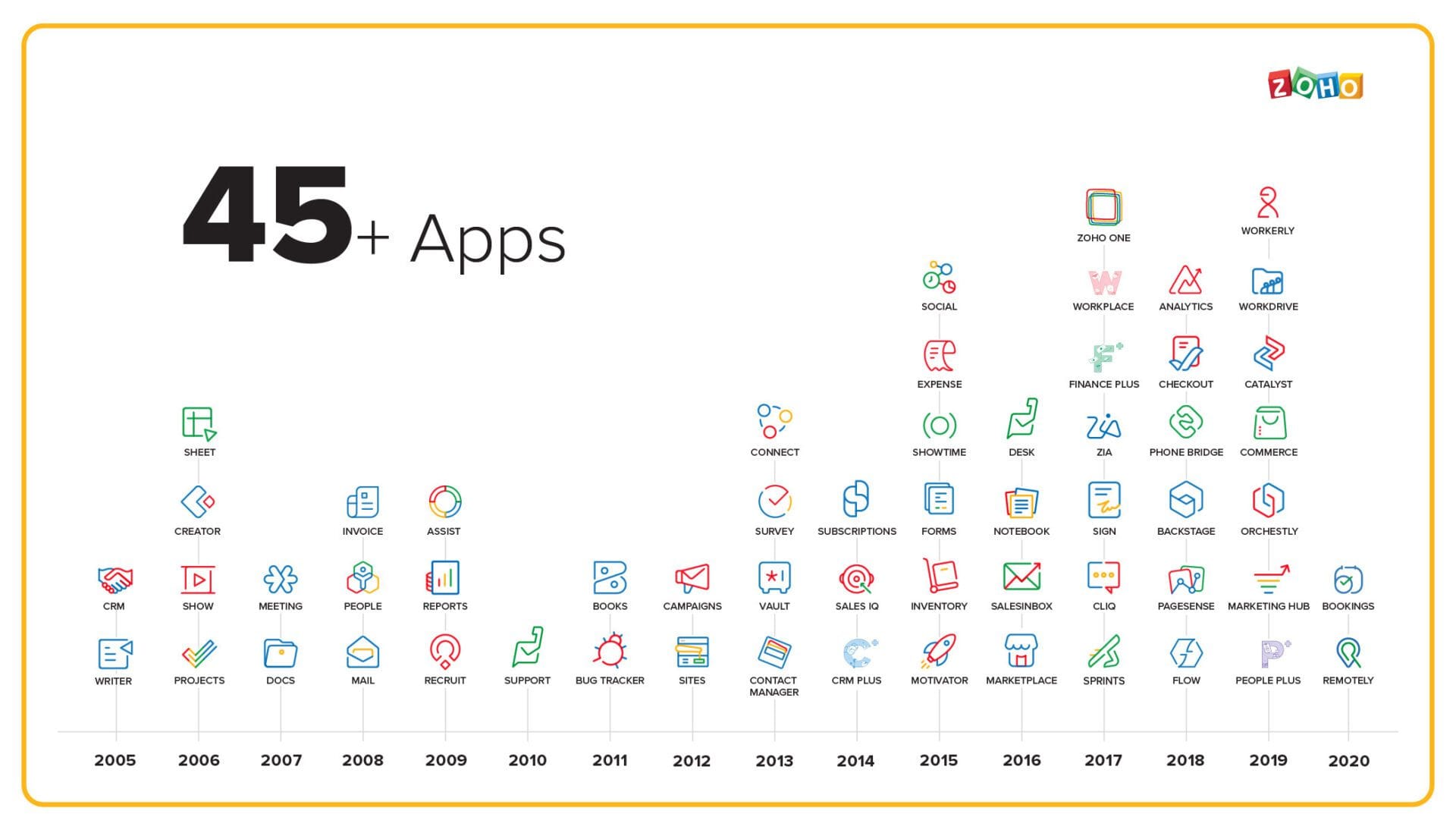
The ZOHO One Ecosystem: 45+ Applications Working Together
ZOHO offers over 45 business applications beyond CRM. When you use multiple ZOHO products, they integrate seamlessly without requiring configuration or third-party connectors.
Popular ZOHO applications:
Sales and Marketing
- ZOHO CRM: Customer relationship management
- ZOHO Campaigns: Email marketing
- ZOHO Social: Social media management
- ZOHO Forms: Online form builder
- ZOHO Survey: Customer feedback and surveys
- ZOHO SalesIQ: Live chat and visitor tracking
Finance and Operations
- ZOHO Books: Accounting and invoicing
- ZOHO Inventory: Inventory management
- ZOHO Expense: Expense reporting
- ZOHO Subscriptions: Recurring billing management
Support and Communication
- ZOHO Desk: Customer support and help desk
- ZOHO Cliq: Team messaging
- ZOHO Meeting: Video conferencing
- ZOHO Assist: Remote support
Project Management and Collaboration
- ZOHO Projects: Project management
- ZOHO Sprints: Agile project management
- ZOHO WorkDrive: Cloud storage and file sharing
- ZOHO Writer: Document creation
- ZOHO Sheet: Spreadsheets
HR and Productivity
- ZOHO People: HR management
- ZOHO Recruit: Applicant tracking
- ZOHO Mail: Business email hosting
The integration between these apps is seamless. When you close a deal in ZOHO CRM, you can automatically create an invoice in ZOHO Books, generate a project in ZOHO Projects, and create a support case in ZOHO Desk—all without leaving the CRM interface.
Pre-built Third-Party Integrations
ZOHO CRM integrates with hundreds of third-party applications through pre-built connectors that require minimal configuration.
Google Workspace Integration
- Sync contacts between ZOHO CRM and Google Contacts
- Track emails sent from Gmail in CRM records
- Schedule meetings using Google Calendar
- Store documents in Google Drive linked to CRM records
- Use Google Sheets for data import/export
Microsoft 365 Integration
- Track Outlook emails in ZOHO CRM
- Sync contacts with Outlook
- Schedule meetings using Outlook Calendar
- Store files in OneDrive linked to customer records
- Use Microsoft Teams for communication
Accounting Software
- QuickBooks: Sync customers, invoices, and payments
- Xero: Two-way data synchronization
- Tally: India-specific accounting integration (important for Indian MSMEs)
E-commerce Platforms
- Shopify: Sync customers and orders automatically
- WooCommerce: Track e-commerce activities in CRM
- Magento: Integrate online store with customer data
Marketing and Advertising
- Google Ads: Track ad performance and conversions
- Facebook Ads: Capture leads directly from Facebook campaigns
- Mailchimp: Sync email lists (though ZOHO Campaigns is recommended)
Communication Tools
- Twilio: Send SMS notifications and alerts
- RingCentral: Integrate phone system with CRM
- Slack: Get CRM notifications in Slack channels
- Microsoft Teams: Receive alerts and updates
Payment Gateways (India-specific)
- Razorpay: Collect online payments
- Paytm: Payment integration for Indian businesses
- Instamojo: Simple payment links and collection
- CCAvenue: Multi-currency payment processing
Custom Integrations Through APIs and Webhooks
For businesses with unique requirements or using specialized software, ZOHO CRM provides robust APIs and webhook capabilities.
API Capabilities:
- Read data from ZOHO CRM (contacts, leads, deals, etc.)
- Create new records programmatically
- Update existing records
- Delete records (with appropriate permissions)
- Execute custom functions
- Trigger workflows and automation
The API documentation is comprehensive and includes code samples in multiple programming languages including Python, PHP, Java, and Node.js. This makes it accessible to developers with different backgrounds.
Webhook Functionality:
Webhooks allow ZOHO CRM to notify external systems when specific events occur. For example:
- When a deal is closed, send data to your accounting system
- When a lead is created, notify your sales team via SMS
- When a support ticket is raised, create an issue in your project management tool
- When a customer purchases, trigger fulfillment in your warehouse management system
Zapier Integration:
For businesses without technical resources, Zapier provides a no-code way to connect ZOHO CRM with thousands of applications. While not as powerful as custom API integrations, Zapier covers most common automation needs.
Example Zapier workflows (called “Zaps”):
- New email subscriber in Mailchimp → Create lead in ZOHO CRM
- New order in Shopify → Create deal in ZOHO CRM
- New support ticket in Zendesk → Create task in ZOHO CRM
- Calendar event in Google Calendar → Create activity in ZOHO CRM
ZOHO Free CRM: Getting Started Without Investment
One of ZOHO’s most attractive features for Indian startups is the completely free plan. Unlike many “free trials” that expire after 14 or 30 days, ZOHO Free CRM is a permanent free plan with no time limit.
What’s Included in the Free Plan?
The free plan isn’t a stripped-down demo—it’s a fully functional CRM system suitable for small teams.
Free plan features:
- Up to 3 users: Perfect for small startups
- Standard modules: Leads, Contacts, Accounts, Deals, Tasks, Events, Calls
- Email integration: Connect Gmail or other email providers
- Mobile apps: Full access via iOS and Android apps
- Basic automation: Workflow rules (up to 5)
- Reports and dashboards: Standard reports included
- File storage: 1GB of document storage
- API access: 200 API calls per day
- Calendar sync: Integration with Google Calendar or Outlook
For a startup with 2-3 people testing a new business idea, this provides everything needed to manage customer relationships professionally. You can capture leads, track deals, follow up on opportunities, and analyze your sales pipeline—all without spending anything on software.
Limitations of the Free Plan
The free plan has some restrictions designed to encourage upgrades as businesses grow:
User limitation: Only 3 users means you’ll need to upgrade when hiring your fourth team member.
Storage limitation: 1GB storage is sufficient for basic text records but may not handle extensive document attachments.
Customization limits: Limited custom fields and modules compared to paid plans.
Automation limits: Only 5 workflow rules (paid plans offer unlimited).
No advanced features: Missing AI assistant (Zia), advanced analytics, custom reports, and territory management.
Email limits: Can send up to 500 emails per day (paid plans have higher limits).
These limitations aren’t designed to cripple the free plan—they’re reasonable restrictions that still allow genuine use. A 3-person startup can effectively run their entire sales process on the free plan.
When to Upgrade: Growth Indicators
The beauty of starting with ZOHO Free CRM is that you only pay when you’ve grown enough to benefit from advanced features. Here are signs it’s time to upgrade:
Team Growth You need to add your fourth team member. This is the most obvious trigger since the free plan only supports 3 users.
Storage Needs You’re approaching the 1GB storage limit because you’re attaching proposals, contracts, and presentations to customer records.
Automation Complexity You’ve maxed out your 5 workflow rules and need more sophisticated automation to handle increasing volume.
Advanced Reporting You need custom reports and dashboards to analyze sales performance across teams, regions, or products.
Integration Requirements You’re connecting ZOHO CRM with other business systems and need more API calls or advanced integration features.
AI and Analytics You want predictive lead scoring, deal insights, and AI-powered recommendations that come with Zia AI assistant.
Migration Path: Free to Paid Plans
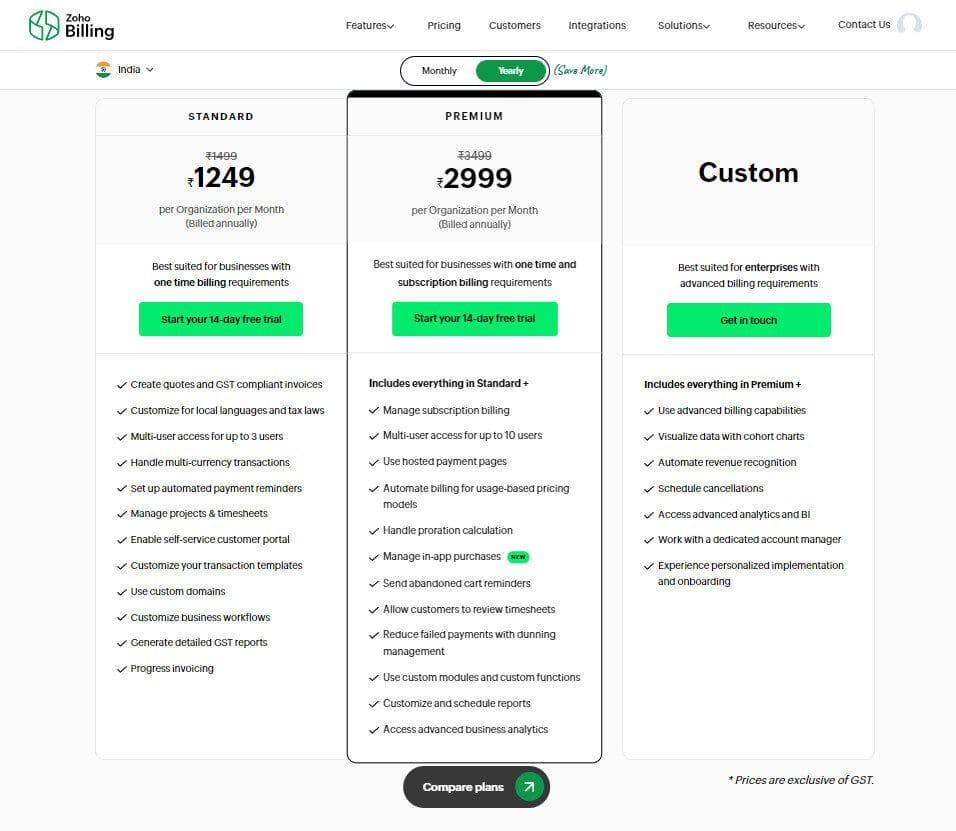
Upgrading from free to paid is seamless. Your data, configurations, and customizations remain intact. You simply choose a plan, add payment information, and unlock additional features immediately.
ZOHO vs Microsoft: The Enterprise Software Battle
Microsoft is one of the world’s largest technology companies, with enterprise software offerings including Microsoft Dynamics 365 for CRM and customer engagement. Understanding how ZOHO competes with Microsoft reveals insights about the Indian enterprise software market.
Microsoft Dynamics 365: The Enterprise Heavyweight
Microsoft Dynamics 365 combines CRM and ERP (Enterprise Resource Planning) capabilities in an integrated platform. It’s designed for large enterprises with complex operations across multiple business functions.
Microsoft’s advantages:
- Deep integration with Microsoft 365 ecosystem
- Strong presence in Fortune 500 companies
- Comprehensive ERP capabilities beyond CRM
- Advanced AI through Azure cloud platform
- Industry-specific solutions for manufacturing, retail, healthcare
- Global support infrastructure
- Enterprise-grade security and compliance certifications
For large Indian enterprises already heavily invested in Microsoft technologies, Dynamics 365 offers seamless integration with tools their employees already use daily.
Why Indian MSMEs Choose ZOHO Over Microsoft
Despite Microsoft’s strengths, ZOHO has captured significant market share among Indian small and medium businesses. The reasons reveal what matters most to this market segment.
Pricing Differential
Microsoft Dynamics 365 Sales Professional costs $65 per user per month (approximately ₹5,400). For a 10-person team, that’s ₹6,48,000 annually.
ZOHO CRM Professional costs ₹1,400 per user per month. For the same 10-person team, the annual cost is ₹1,68,000.
That’s a difference of ₹4,80,000 per year—nearly 75% savings. For an MSME, that money could hire additional employees, invest in marketing, or improve cash flow.
Implementation Complexity
Microsoft Dynamics 365 is powerful but complex. Implementation typically requires:
- Certified Microsoft consultants (expensive in India)
- 3-6 months for mid-sized deployments
- Significant IT infrastructure knowledge
- Ongoing technical maintenance
- Regular updates and patch management
ZOHO CRM can be implemented in days or weeks by non-technical users. The simplified approach reduces both time-to-value and total cost of ownership.
Feature Relevance
Dynamics 365 includes deep ERP functionality like supply chain management, manufacturing planning, and financial consolidation. These features are valuable for large enterprises but irrelevant for most MSMEs.
ZOHO CRM focuses on customer relationship management specifically. It does that one thing extremely well without bundling unnecessary enterprise features that complicate the interface and increase costs.
Local Support and Understanding
Microsoft’s support infrastructure is global and sophisticated, but it’s designed for enterprise customers. Small businesses in India often struggle to get timely, contextual support.
ZOHO’s India-based support teams understand the local business environment, regulatory requirements, and common use cases. They speak the language—both literally and figuratively—of Indian business owners.
The Reality: Different Tools for Different Needs
This isn’t about one product being objectively better than the other. They serve different markets:
Microsoft Dynamics 365 makes sense for:
- Large enterprises with ₹100+ crore annual revenue
- Companies requiring deep ERP integration
- Organizations already standardized on Microsoft technologies
- Businesses with dedicated IT departments
- Multi-national companies needing global consistency
ZOHO CRM makes sense for:
- Startups and MSMEs with smaller budgets
- Businesses focused specifically on customer relationship management
- Companies without extensive IT resources
- Organizations prioritizing quick implementation
- Teams wanting straightforward, intuitive software
Many Indian businesses use both Microsoft and ZOHO products. They might use Microsoft 365 for email and office productivity while using ZOHO CRM for customer management. The integration between these tools works smoothly, allowing businesses to choose best-of-breed solutions rather than forcing everything into one vendor’s ecosystem.
ZOHO vs Meta: The Customer Engagement Wars
Meta (formerly Facebook) owns some of the world’s most popular communication platforms including Facebook, Instagram, and WhatsApp. These platforms have become essential for businesses to reach customers. ZOHO’s expansion into social media management and team communication puts it in indirect competition with Meta’s business offerings.
Meta’s Business Tools
Meta offers several tools designed for businesses:
Facebook Business Suite Manage Facebook and Instagram accounts, schedule posts, respond to messages, and view analytics from one dashboard.
WhatsApp Business Communicate with customers via WhatsApp using business features like catalogs, quick replies, and automated messages.
Facebook Ads Manager Create and manage advertising campaigns across Facebook and Instagram.
Instagram Shopping Sell products directly through Instagram posts and stories.
These tools are free or low-cost, leveraging Meta’s massive user base to attract businesses onto their platforms.
ZOHO’s Alternative Approach
ZOHO doesn’t try to compete with Meta’s consumer social networks. Instead, it offers tools that help businesses manage their presence on Meta platforms while maintaining independence and control.
ZOHO Social vs Facebook Business Suite
Both allow managing social media accounts, but ZOHO Social offers advantages:
- Multi-platform management: Includes LinkedIn, Twitter, Google My Business beyond just Facebook/Instagram
- Team collaboration: Multiple users with role-based permissions
- Advanced scheduling: Bulk uploads, content queues, optimal time suggestions
- Better analytics: More detailed metrics and custom reports
- Data ownership: Your data stays in ZOHO, not just on Meta’s servers
ZOHO Cliq vs WhatsApp Business (for internal communication)
For customer-facing communication, WhatsApp’s network effects make it irreplaceable. But for internal team communication, ZOHO Cliq offers structure and control that WhatsApp lacks.
Lead Generation Integration
ZOHO CRM integrates with Facebook Lead Ads, allowing leads captured on Facebook to automatically flow into your CRM. This provides better lead management than Meta’s basic tools:
- Automatic lead scoring and qualification
- Trigger workflows based on lead source
- Track ROI by connecting ad spend to closed deals
- Follow up systematically through email and phone
The Data Privacy Dimension
Meta’s business model is built on collecting user data and monetizing it through advertising. For businesses, this creates concerns:
- Customer data shared with Meta
- Limited control over how data is used
- Privacy concerns affecting customer trust
- Dependency on platforms that could change policies
ZOHO’s model is fundamentally different. You pay for software, and your data remains yours. ZOHO doesn’t sell advertising, so they have no incentive to monetize your customer data.
For Indian businesses increasingly aware of data privacy issues, this distinction matters. Choosing ZOHO for customer data management while using Meta platforms only for marketing and customer acquisition provides a balance between reach and control.
The Practical Balance
Most successful Indian businesses use both Meta’s platforms and ZOHO’s tools, leveraging the strengths of each:
Use Meta (Facebook/Instagram/WhatsApp) for:
- Reaching customers where they spend time
- Building brand awareness
- Running targeted advertising
- Customer service via WhatsApp
- Social proof through reviews and engagement
Use ZOHO tools for:
- Storing and managing customer data
- Internal team collaboration
- Marketing automation and nurturing
- Sales pipeline management
- Analytics connecting marketing to revenue
- Long-term customer relationship building
The integration between these systems—through ZOHO’s Facebook Lead Ads integration, WhatsApp integration options, and social media management tools—allows businesses to maximize reach while maintaining data control.
Implementation Guide for Indian MSMEs and Startups
Understanding ZOHO CRM’s features and benefits is one thing. Successfully implementing it in your business is another. This section provides a practical roadmap for Indian MSMEs and startups adopting ZOHO CRM.
Pre-Implementation Planning
Before signing up for ZOHO CRM, invest time in planning. Rushing into implementation without preparation leads to poor adoption and underwhelming results.
Define your sales process
Document how sales actually happen in your business:
- How do leads enter your system?
- What steps do sales reps take to qualify leads?
- What stages does a deal move through?
- Who needs to be involved at each stage?
- What information is critical to collect?
Map this out on paper before configuring ZOHO CRM. The software should mirror your process, not force you into a generic template.
Identify key stakeholders
Who will use ZOHO CRM in your organization?
- Sales team members who log activities and update deals
- Sales managers who forecast and analyze performance
- Marketing teams who need to track campaign effectiveness
- Support teams who need customer history
- Leadership who want high-level dashboards
Involve representatives from each group in planning to ensure the system meets everyone’s needs.
Audit your existing data
If you’re migrating from spreadsheets or another CRM:
- Clean up duplicate records
- Standardize formatting (phone numbers, company names)
- Decide what historical data is actually valuable to migrate
- Export data in a format ready for import (CSV files work best)
Don’t migrate garbage data just because it exists. Use implementation as an opportunity to start fresh with clean information.
Step-by-Step Implementation Process
Phase 1: Basic Setup (Week 1)
- Sign up for ZOHO CRM (start with free plan if testing)
- Configure company information and fiscal year
- Set up users and assign roles
- Customize pipeline stages to match your sales process
- Add custom fields for information specific to your business
- Configure email integration (Gmail or Outlook)
Phase 2: Data Migration (Week 2)
- Export data from existing systems
- Clean and format data for import
- Import contacts and accounts
- Import leads and opportunities
- Verify data accuracy and fix issues
Phase 3: Automation Setup (Week 3)
- Create workflow rules for common tasks
- Set up email templates for frequent communications
- Configure assignment rules to distribute leads automatically
- Create task reminders for follow-ups
- Set up notifications for important events
Phase 4: Training and Adoption (Week 4)
- Train sales team on basic CRM usage
- Train managers on reporting and analytics
- Create internal documentation for common tasks
- Start using CRM for all new leads and deals
- Monitor adoption and address resistance
Phase 5: Optimization (Ongoing)
- Review reports weekly to identify issues
- Gather feedback from users
- Refine workflows based on actual usage
- Add integrations as needed
- Gradually implement advanced features
Common Mistakes to Avoid
Over-customization
New users often go overboard with customization, adding dozens of custom fields and complex workflows before understanding what they actually need. Start simple and add complexity gradually based on real requirements.
Poor data quality
CRM is only as valuable as the data in it. If sales reps don’t log activities or update deal stages, reports will be meaningless. Make data entry as easy as possible and enforce basic quality standards.
Lack of executive buy-in
If leadership doesn’t use and value the CRM, the team won’t either. Ensure executives have dashboards they actually review and make decisions from.
Inadequate training
Spending weeks configuring ZOHO CRM perfectly but only 30 minutes training users guarantees failure. Invest in comprehensive training and ongoing support.
Trying to replicate old processes exactly
Don’t just digitize broken manual processes. Use CRM implementation as an opportunity to improve workflows and eliminate inefficiencies.
Timeline and Cost Estimation
Small startup (2-5 people):
- Setup time: 1-2 weeks
- Cost: Free plan or ₹8,000-14,000/year (Standard plan)
- Implementation: DIY using ZOHO documentation
- Training: Self-paced using free resources
Growing MSME (10-20 people):
- Setup time: 3-4 weeks
- Cost: ₹1,68,000-2,88,000/year (Professional or Enterprise plan)
- Implementation: Consider hiring consultant (₹15,000-30,000)
- Training: Dedicated training sessions for team
Established business (50+ people):
- Setup time: 2-3 months
- Cost: ₹7,20,000+/year depending on plan and users
- Implementation: Hire experienced consultant (₹50,000-1,00,000+)
- Training: Comprehensive program with ongoing support
Success Stories: Indian Businesses Growing with ZOHO CRM
Real-world examples provide context for how ZOHO CRM impacts actual businesses. While specific client names are confidential, these scenarios represent common patterns we’ve observed.
Scenario 1: SaaS Startup Scaling Sales
A Mumbai-based B2B SaaS company was using spreadsheets to track their 50+ leads per month. As they grew to 150+ monthly leads, their process broke down. Sales reps forgot to follow up, leads fell through the cracks, and there was no visibility into the pipeline.
Implementation:
- Started with ZOHO Free CRM (3-person team)
- Connected website forms to automatically create leads
- Set up automated email sequences for new leads
- Created simple 5-stage pipeline matching their sales process
- Configured reports showing conversion rates at each stage
Results after 6 months:
- Lead response time decreased from 2 days to 2 hours
- Conversion rate improved from 3% to 7% due to better follow-up
- Sales forecast accuracy increased, enabling better resource planning
- Upgraded to Professional plan as team grew to 8 people
- Monthly recurring revenue increased by 180%
Scenario 2: Manufacturing MSME Managing Dealers
A Pune-based manufacturing company with 200+ dealers across India struggled to manage dealer relationships. Orders came through phone calls and emails, making it impossible to track dealer performance or forecast production needs.
Implementation:
- Set up ZOHO CRM with dealers as “accounts”
- Created custom fields for dealer tier, credit limit, and territory
- Integrated with ZOHO Books for order processing and invoicing
- Built dashboards showing dealer-wise sales and pending orders
- Configured territory management for regional sales managers
Results after 1 year:
- Complete visibility into dealer performance across regions
- Identified top-performing and underperforming dealers
- Reduced order processing time by 40%
- Improved credit management, reducing bad debts
- Scaled to 300+ dealers without adding administrative staff
Scenario 3: Education Consultancy Nurturing Leads
An education consultancy helping students with overseas admissions generated leads through digital marketing but struggled with long sales cycles (3-6 months from inquiry to enrollment).
Implementation:
- Imported 2,000+ historical leads into ZOHO CRM
- Created lead scoring based on country interest, budget, and timeline
- Set up automated email campaigns for different student segments
- Integrated with ZOHO Survey to collect regular feedback
- Connected WhatsApp conversations to CRM records
Results:
- Re-engaged 300+ old leads who had gone cold
- Conversion rate improved from 8% to 14%
- Better tracking of which marketing channels generated quality leads
- Reduced manual follow-up work by 60% through automation
- Scaled from 100 to 250 enrollments annually
Advanced Features for Growing Businesses
As businesses mature, they benefit from ZOHO CRM’s advanced capabilities that go beyond basic lead and deal management.
Zia AI: Your Intelligent Sales Assistant
Zia is ZOHO’s artificial intelligence assistant available in Enterprise and Ultimate plans. Unlike basic CRM features that simply store data, Zia actively helps sales teams work smarter.
What Zia does:
Predictive Lead Scoring Zia analyzes historical data to predict which leads are most likely to convert. Based on patterns in past successful deals, it automatically scores new leads, helping sales teams prioritize their time.
Deal Insights and Recommendations When viewing a deal, Zia suggests next best actions based on similar deals. If deals at a particular stage typically require a demo call, Zia will remind you to schedule one.
Anomaly Detection Zia identifies unusual patterns, like deals taking unusually long in a particular stage or sudden drops in activity from specific sales reps.
Best Time to Contact By analyzing when contacts previously engaged with emails or answered calls, Zia suggests optimal times to reach out.
Voice Commands Sales reps can update CRM records using voice commands while driving or in the field: “Zia, update the ABC Company deal to negotiation stage.”
Email Sentiment Analysis Zia reads customer emails and identifies sentiment (positive, negative, neutral), alerting managers when deals might be at risk based on negative communication patterns.
Canvas: Custom CRM Design
Every business is unique, and generic CRM layouts don’t always match specific needs. Canvas allows complete redesign of CRM interfaces without coding.
Canvas capabilities:
- Drag and drop fields to create custom layouts
- Add sections and tabs for different types of information
- Include buttons that trigger specific actions
- Embed widgets showing related information
- Create role-specific layouts (sales reps see different screens than managers)
- Design mobile-optimized layouts separate from desktop views
A real estate business might use Canvas to create a property-centric interface showing images, documents, and viewing history prominently—completely different from the standard contact-focused CRM layout.
Blueprint: Enforcing Process Consistency
Blueprint is ZOHO’s process management tool that guides users through complex, multi-step workflows.
Unlike simple workflows that run in the background, Blueprint creates a structured path that users must follow:
Example: Customer Onboarding Process
A software company selling annual subscriptions needs consistent onboarding:
- Contract Signed → Requires uploading signed contract, entering license details
- Implementation Scheduled → Requires setting implementation date, assigning implementation manager
- Implementation in Progress → Requires completing training sessions, documenting customizations
- Go-Live → Requires customer sign-off, support handover documentation
- Active Customer → Success!
Blueprint ensures every customer goes through these steps in order. Sales reps can’t skip the implementation scheduling just because they’re in a hurry. Managers get alerts if onboarding gets stuck at any stage.
Gamification: Motivating Sales Teams
ZOHO CRM includes gamification features that make sales activities more engaging and competitive.
How gamification works:
- Define KPIs (calls made, demos scheduled, deals closed, revenue generated)
- Assign points for each activity
- Create leaderboards showing top performers
- Set up badges and achievements for milestones
- Run competitions for specific time periods
This transforms daily sales activities into a game. Sales reps can see how they rank against colleagues, work toward achievements, and compete for recognition. For teams motivated by competition, gamification significantly improves activity levels and engagement.
Multi-Currency and Multi-Language Support
Indian businesses increasingly operate globally, selling to customers in different countries with different currencies and languages.
Multi-currency features:
- Set your base currency (INR for Indian businesses)
- Add additional currencies (USD, EUR, GBP, etc.)
- System automatically converts deals and reports to base currency
- Track exchange rate fluctuations
- Generate invoices in customer’s preferred currency
Multi-language support:
ZOHO CRM supports 28+ languages including:
- All major Indian languages (Hindi, Tamil, Telugu, Bengali, Marathi, Gujarati, Kannada, Malayalam)
- English
- Chinese, Japanese, Korean
- European languages (Spanish, French, German, Italian, Portuguese)
- Arabic, Hebrew, Thai, Vietnamese
Each user can choose their preferred language, meaning your Mumbai sales rep can use Hindi while your Bangalore rep uses Kannada, both working in the same CRM instance.
Advanced Security and Permissions
As businesses grow, security becomes increasingly important. ZOHO CRM offers enterprise-grade security controls.
Permission levels:
- Organization-level: IP restrictions, login hours, two-factor authentication
- Profile-level: What modules users can access, what actions they can perform
- Role-level: Who sees what data based on organizational hierarchy
- Field-level: Specific fields visible or editable only by certain roles
- Record-level: Individual record sharing rules
A sales representative might see only their own leads and deals, while their manager sees the entire team’s data, and the VP of Sales sees everything across all regions. This ensures data security while maintaining appropriate visibility.
Audit logs track every action in the system:
- Who accessed which records
- What changes were made and when
- Login history and locations
- Export and data download activities
- Permission changes
For businesses handling sensitive data or operating in regulated industries, these audit capabilities are essential for compliance and security.
The Future of ZOHO: Innovation and Market Expansion
Understanding where ZOHO is heading helps businesses make long-term decisions about platform adoption.
Continued Investment in AI and Machine Learning
ZOHO is heavily investing in AI capabilities beyond what Zia currently offers. Future developments likely include:
- More accurate predictive analytics
- Natural language processing for automatic data entry
- Advanced chatbots for customer self-service
- Automated meeting summaries and action items
- Image recognition for business cards and documents
Industry-Specific Solutions
While ZOHO CRM works across industries, the company is developing specialized versions for specific sectors:
- Healthcare: Patient relationship management with compliance features
- Education: Student recruitment and enrollment management
- Real Estate: Property and client management
- Professional Services: Project-based client engagement
- Manufacturing: B2B sales with complex product configurations
These industry solutions provide pre-configured templates, specific terminology, and compliance features relevant to each sector.
Deeper Integration Across ZOHO Ecosystem
ZOHO’s strategy involves making their 45+ applications work together more seamlessly. Future integrations will enable:
- Unified inbox across email, chat, social media, and phone
- Cross-application analytics showing complete customer journey
- Single sign-on and unified user management
- Consistent user experience across all ZOHO products
- Shared customer data platform across sales, marketing, and support
Geographic Expansion with Local Focus
While maintaining strong presence in India, ZOHO is expanding to other emerging markets:
- Southeast Asia (Indonesia, Philippines, Vietnam)
- Latin America (Mexico, Brazil, Colombia)
- Middle East (UAE, Saudi Arabia)
- Africa (Nigeria, Kenya, South Africa)
This expansion follows the same playbook that worked in India: affordable pricing, local languages, regional payment options, and customer support in local time zones.
Privacy-First Approach
As data privacy concerns grow globally, ZOHO’s position as a privacy-focused alternative to ad-supported platforms becomes more valuable. The company is doubling down on:
- More regional data center options
- Enhanced encryption and security features
- Transparent privacy policies without hidden data monetization
- Compliance with evolving privacy regulations (GDPR, India’s data protection law)
Conclusion: Why ZOHO CRM Makes Sense for Indian Businesses
After exploring ZOHO CRM from multiple angles, several themes emerge that explain its success in the Indian market.
The Affordability Factor Cannot Be Ignored
For most Indian MSMEs and startups, budget constraints are real. Spending ₹9,000 per year per user on Salesforce simply isn’t feasible when the same money could hire an additional employee or fund marketing campaigns.
ZOHO’s pricing at ₹800-₹2,400 per user per month makes enterprise-grade CRM accessible to businesses that would otherwise rely on spreadsheets or informal systems. The free plan allows even bootstrapped startups to get started with professional tools.
Localization Shows Respect for the Market
International CRM providers often treat India as just another market, offering products designed for Western businesses with minimal adaptation. ZOHO’s Indian roots mean the product is built with Indian business realities in mind.
Support for Indian languages, GST compliance, integration with Indian payment gateways, and customer support operating in Indian time zones aren’t afterthoughts—they’re core features. This attention to local needs creates a better user experience and faster implementation.
Simplicity Enables Faster Time-to-Value
Complex enterprise software often sits unused because implementation takes too long and the learning curve is too steep. By the time everything is configured, business requirements have changed or team members have moved on.
ZOHO CRM’s intuitive interface and straightforward setup mean businesses can start seeing value within days or weeks, not months. This rapid time-to-value is crucial for small businesses that need practical results, not theoretical capabilities.
Independence from Venture Capital Shows in Product Decisions
ZOHO’s bootstrap approach means they’re not pressured to maximize short-term revenue to satisfy investors. They can:
- Keep prices lower than competitors
- Invest in long-term R&D rather than quick feature additions
- Focus on customer satisfaction over growth metrics
- Maintain a free plan that actually provides value
- Build features customers need rather than what looks good in marketing
This independence aligns ZOHO’s interests with customer success rather than investor returns.
The Ecosystem Approach Reduces Vendor Complexity
Instead of buying CRM from one vendor, email marketing from another, help desk from a third, and accounting from a fourth, businesses can use ZOHO’s integrated suite. This reduces:
- Integration complexity and costs
- The number of vendor relationships to manage
- Training overhead (similar interface across apps)
- Total software costs through bundled pricing
The ZOHO One bundle offers 45+ applications for ₹2,100 per user per month—often less than businesses would pay for just a CRM and accounting software from separate vendors.
Data Sovereignty Provides Peace of Mind
As businesses become more aware of data privacy and sovereignty issues, storing customer data with an Indian company operating Indian data centers provides assurance. This is particularly important for:
- Businesses handling sensitive information
- Companies working with government contracts
- Organizations subject to data localization requirements
- Businesses concerned about foreign government access to data
ZOHO’s commitment to privacy and data protection aligns with growing awareness among Indian businesses about these issues.
Making Your Decision: Is ZOHO CRM Right for Your Business?
After this comprehensive exploration, you should have enough information to decide whether ZOHO CRM makes sense for your specific situation.
ZOHO CRM is Excellent If You:
- Are a startup, small business, or MSME with budget constraints
- Need to implement quickly without lengthy consultant engagements
- Want a system that’s intuitive enough for non-technical users
- Operate primarily in the Indian market or emerging markets
- Value cost savings that can be invested in growth
- Need customer support in Indian time zones and languages
- Prefer Indian ownership and data stored in India
- Want room to grow without hitting pricing ceilings too quickly
Consider Alternatives If You:
- Are a large enterprise with complex, multi-national operations
- Require deep industry-specific features (healthcare, banking, etc.)
- Have unlimited budget and prioritize features over cost
- Need cutting-edge AI that goes beyond current capabilities
- Operate in highly specialized niches requiring custom development
- Have existing deep integration with Salesforce or Microsoft ecosystems
- Require 24/7 global support in unusual languages or regions
How to Get Started
If you’ve decided ZOHO CRM is worth trying, here’s your action plan:
Step 1: Sign Up for Free
Start with the free plan at zoho.com/crm. No credit card required, no time limit. Test the system with your actual data and processes.
Step 2: Import Sample Data
Don’t wait until everything is perfect. Import 20-50 contacts and deals to see how the system works with real information.
Step 3: Use It Daily for 2 Weeks
Commit to logging all sales activities in ZOHO CRM for two weeks. This gives you enough experience to identify what works and what needs adjustment.
Step 4: Get Your Team Involved
If it’s working for you, bring in 1-2 team members. Train them and get their feedback.
Step 5: Evaluate and Decide
After a month of real usage, you’ll know whether ZOHO CRM improves your sales process. If yes, consider upgrading to a paid plan for additional features. If not, you’ve lost nothing since the free plan costs nothing.
Additional Resources for ZOHO CRM Users
Official ZOHO Resources
Zoho One Applications Comprehensive guides covering every feature
ZOHO CRM YouTube Channel Video tutorials and webinars
ZOHO Blogs Regular updates on new features and best practices
ZOHO Webinars Free training sessions in multiple languages
Training and Certification
ZOHO University Free online courses covering CRM basics to advanced topics
ZOHO Certifications Professional certifications for consultants and administrators
Community and Support
ZOHO Community Forums Connect with other users, ask questions, share experiences
Implementation Partners
If you need professional help implementing ZOHO CRM, consider hiring certified ZOHO consultants. Look for:
- ZOHO certification credentials
- Experience with businesses similar to yours
- Transparent pricing (typically ₹5,000- for basic implementations)
- Indian-based consultants familiar with local business practices
- References from existing clients
Integration Resources
ZOHO Marketplace – Pre-built integrations and extensions
ZOHO Developer Documentation – API documentation for custom integrations
Final Thoughts: The Bigger Picture
ZOHO CRM’s success in India represents something larger than just one company’s achievement. It demonstrates that Indian businesses are:
Making practical, value-based decisions rather than choosing software purely based on brand recognition or industry hype.
Valuing local solutions that understand Indian business contexts, languages, and requirements rather than forcing Western-designed products into Indian operations.
Supporting Indian innovation by choosing homegrown companies that reinvest in the Indian economy and create Indian jobs.
Prioritizing sustainability by selecting affordable tools that don’t consume disproportionate amounts of budget that could be invested in growth.
For the Indian MSME sector—which employs over 110 million people and contributes nearly 30% of India’s GDP—choosing the right business tools isn’t trivial. The difference between spending ₹50,000 versus ₹5,00,000 annually on CRM software can mean hiring additional employees, expanding to new markets, or improving products.
ZOHO CRM provides Indian businesses with enterprise-grade customer relationship management at prices that don’t constrain growth. It offers localized support that understands Indian business realities. It provides data sovereignty that keeps sensitive information under Indian jurisdiction. And it demonstrates that Indian companies can build world-class software products that compete globally.
Whether you’re a first-time entrepreneur launching a startup, an MSME owner looking to professionalize sales operations, or a consultant advising businesses on digital transformation, ZOHO CRM deserves serious consideration. The combination of affordability, functionality, and local relevance makes it uniquely suited for the Indian market.
The question isn’t whether ZOHO CRM is perfect—no software is. The question is whether it provides enough value relative to its cost to justify adoption. For the vast majority of Indian startups and MSMEs, the answer is yes.
Glossary of CRM Terms
Account: A company or organization that you do business with. Can have multiple contacts associated with it.
API (Application Programming Interface): A way for different software systems to communicate and share data automatically.
Blueprint: ZOHO’s process management tool that guides users through structured workflows.
CRM (Customer Relationship Management): Software for managing interactions with customers and potential customers.
Custom Fields: Additional data fields you create to capture information specific to your business beyond standard fields.
Dashboard: A visual display of important metrics and data, typically using charts and graphs.
Deal/Opportunity: A potential sale that’s being actively pursued through your sales pipeline.
Lead: A potential customer who has shown interest but hasn’t been qualified yet.
Pipeline: Visual representation of deals at different stages of your sales process.
Webhook: Automated messages sent from one system to another when specific events occur.
Workflow: Automated rules that perform actions when certain conditions are met.
Zia: ZOHO’s artificial intelligence assistant that provides predictions and recommendations.
Keyboard Shortcuts for ZOHO CRM
Navigation
G + H– Go to HomeG + L– Go to LeadsG + C– Go to ContactsG + D– Go to Deals
Actions
N– Create new recordE– Edit current recordS– Save current record/– Global search
Views
J– Move to next recordK– Move to previous recordO– Open selected record
Last Updated: June 2025
About the Author: This guide is created by business technology consultants with extensive experience helping Indian MSMEs implement digital solutions. We’ve worked with 200+ businesses across manufacturing, services, technology, and retail sectors.
Disclaimer: This guide is for informational purposes. Prices and features mentioned are accurate as of October 2025 but may change. Always check ZOHO’s official website for current pricing and capabilities. We are not affiliated with ZOHO Corporation, though we recommend their products based on professional experience.
Take Action Today
The best time to implement a CRM system was when you started your business. The second-best time is today.
Visit zoho.com/crm and sign up for the free plan. No credit card needed. No obligation. Just a professional CRM system that could transform how you manage customer relationships and grow your business.
The question isn’t whether you can afford ZOHO CRM. The question is whether you can afford not to have a proper system for managing your most valuable asset—your customer relationships.
Stop losing leads in spreadsheets. Stop forgetting follow-ups. Stop guessing about what’s working in your sales process.
Start using ZOHO CRM today and join thousands of successful Indian businesses that have already made the switch.